by Phil Johnson. . . in which I rant about Apple, PCs, keyboards, and Best-Buy Geeks vs. Apple-Store "Geniuses"—expressing both appreciation and loathing for pretty much all of them.
o with a big wedding coming up in our family, and a huge deadline on a book project coming due for me, this is the
worst possible time for me to have
my annual computer meltdown. But it happened this weekend.

And yes, it was my iMac.
I'm not sure whether I have actually mentioned it on the blog or not, but over the past year I've switched to all Macs both at home and at the office. No more PCs for me, period. (Except I still have one old clunker that I use as a network hub and a place to park backup files.)
Darlene's computer is a MacBook. My primary tool at home is—or was until Saturday—an iMac with one of those gorgeous, monster 24-inch monitors. And I use a MacBook Pro at the office and on the road. For much of my work, I still need to use Windows-based software. That includes—
especially—hours of word processing every day, which I
still do mostly with a DOS-based version of WordPerfect. (Yeah, yeah. I know what you are going to say. Don't try to talk me out of it. I do know exactly what I am doing.)
I can run Windows in a virtual machine on the Macs, with VMWare Fusion, and
everything works spiffily. (Which, of course, is all very relative when you are talking about Windows.) But the virtual Windows machines (VMs) normally run better than any PC I have ever owned. And the Mac hardware and software alike are an absolute joy and a breeze to use when they work right (which is usually). Best of all, next time I get a new Mac, I'll be able simply to copy the VM to the new computer and run all my Windows software without having to reinstall the programs and go through the tedious and unnecessarily complex task of getting all the program settings tweaked the way I like them. That alone will
save me three full days every two years or so.
Near the end of May, however, I began to have intermittent problems with the big iMac. The first incident was a total disaster—resulting in one of my most disappointing and frustrating data losses ever. I had spent all day (8:00 AM—8:00 PM) on a Saturday in May, preparing the next day's message. (Saturday is the only day I have to prepare for preaching, because I'm technically a layman, and I do have a full-time job that doesn't include sermon prep as a duty I get paid for.) On that fateful Saturday, after I had completely finished writing my notes, before I had printed them out or backed them up, I decided to run a spell check. During the spell check, the whole VM crashed and flatly refused to run again. After hours of troubleshooting and desperately searching for the sector on my disk where some scrap of the sermon file was located, I had to re-load a backup copy of the VM, which, of course, prohibited me from
ever recovering the lost sermon. (I had to re-preach an old sermon the next day, and I still haven't had the time or the heart to reconstruct the one I lost. Trust me though: it was probably my best sermon ever.)
So since May, the performance of the iMac had been gradually deteriorating. Mostly, it was annoying little things. It would stall for 3-4 seconds at a time—like a hiccup—and then get back to bidness. This was not a
huge inconvenience (and no big deal at all for someone used to PCs). But it was annoying, especially after I had gotten used to the Mac's normal, smooth, nearly-perfect functionality. The errors I got were unpredictable and intermittent—gremlinlike. Mostly annoying, but (except for that first one) not really disastrous. I never had precisely the same kind of problem twice, and I never could make the same error recur again by any predictable sequence of specific actions. The only data I lost in those three months was that one sermon, but I did lose
hours restoring corrupted files, reinstalling programs, re-copying from backups huge things like my iTunes library, and fastidiously backing up twice a day instead of once, just to be safe until I had some clue about what the specific problem might be.
Oh, and the disk diagnostic software kept reporting that everything was OK.
I could feel disaster breathing down my neck, but I had no clue what was causing it, and I was mostly considering software issues, assuming it was some rogue bit of code that was messing me up. To be honest, I had a sneaking suspicion it was a Windows problem, because the gremlins inevitably seemed to invade when the VM was running, and besides—I have never had a Windows machine that
didn't have some kind of major failure about once a year. So I fiddled with Windows registry-repair programs and whatnot, and prayed that I would stumble on a solution to whatever ailed my computer.
This past weekend was an important one for me. I had a long list of must-do things, at the top of which was more sermon preparation. Not run-of-the-mill sermon prep; I've been preaching in the main services at our church these past three weeks while John MacArthur is out of town, and I have been doing a 3-part series on Ephesians 2. So this time I did not have the option of re-preaching something old, because I needed to finish that series. It was not a good time for my computer to go bad.
But almost as if on cue, the computer crashed and died completely at noon Saturday. It wouldn't reboot. It just stared at me with this interminable, totally-blue screen, devoid of cursor, command-line, and error message alike.

I tried to take this in stride. I had recently backed up a draft of my notes to an external hard drive. So I moved that to the MacBook Pro and and kept working on the sermon notes with one hand whilst trying to reinstall Leopard on the iMac with the other. The MacBook Pro is a very nice laptop, except for the spongy keyboard, which in my experience misses a letter every third word or so, making it necessary to do a tedious re-read every time I finish a paragraph. I hate that keyboard, and therefore I never use the laptop for any important writing or word-processing if I can avoid it.
Anyway, I finished both the sermon and the OS-reload at 4:00 AM, preached at 8:30 and 10:30 AM, and then came back home after church planning to boot my computer and try to assess what had been causing it to crash—only to find it would not boot at all. I tried five different ways to re-load the OS, and finally wiped the disk clean and left it reinstalling the OS when I went to bed Sunday night.
Monday morning, with a clean install of OS-X and no data or anything else on the computer, the beast still wouldn't run consistently. The screen looked right, but if I clicked the mouse on any menu item, I would get the spinning-beachball thingy (Mac's equivalent of Windows' dreaded hourglass cursor), and the beachball would spin tauntingly for 3-5 minutes every time. I rebooted, and again the computer gave me the permanent blue screen.

So I called Apple support. I ended up talking to an extremely polite, very knowledgeable, and refreshingly helpful young guy in the Philippines. After stepping me through some diagnostics, he confirmed what I knew by now anyway: the hard disk was toast, and I needed to take it to the Apple Store for repair. He even made me an appointment to meet with a Mac "Genius" at 2:00 PM that day. It was only 7:30 AM when I got off the phone with Manila, but 2:00 was the earliest available appointment.
Now here's what I really, really hate about Apple: The ridiculous appointment system in their stores that keeps you from getting a speedy answer to even the simplest of questions. My absolute contempt for the inflexible protocols of "customer service" at Apple's retail stores ranks right up there with my scorn for Windows' registry. (And there are numerous parallels between those two evil systems.)All I needed to know was
approximately how long it was going to take to get the hard-disk replaced in my iMac. A reasonable question, right? (Because if it was going to be a week or more, I would very speedily need to acquire some new hardware to trick out my laptop so that I'm not dealing with the spongy Swiss-cheese lameness of the MacBook's toy keyboard.) So I phoned the Apple store and discovered it's utterly impossible to get a live person on the phone system. You're given many options after listening to a half hour of generic recorded messages (starting with ads! On my dime? arrgh.), but talking to a human is not one of the options. So I drove over to the Apple Store in Canoga Park just in time for their 10:00 opening, thinking I could probably ask one of the "Geniuses" a simple question such as that, and if necessary, buy myself a new external keyboard and monitor by noon Monday.
Silly me.
There is absolutely no way to get a question like that answered without an appointment. Three very cheerful "greeters" assured me that I would have to wait till my 2:00 appointment to get my answer. (Greeters? I don't know their official designation, but I'm talking about the sub-geniuses whose job seems to be to stand at the door and intercept people coming in—mainly to try to get them to make appointments with salespeople and/or actual Geniuses.) The perpetually-smiling phalanx of greeters assured me they themselves are not authorized to answer any questions about Apple service or product details. Their one area of speciality, it seems, is getting people signed up for appointments. Since I already had an appointment, arranged by a phone-support guy in the Philippines, they couldn't really help me.
See you at 2:00.
I drove away thinking of the irony that Apple's most famous ever ad campaign portrayed them as the antithesis of mindless Orwellian regimentation, but somehow, it seems, Big Brother has written the rules of their customer service.So I had an early lunch, drove to Best Buy, and browsed there for an hour or two. I actually felt a wistful longing for those halcyon PC days when I could walk unannounced into any Best Buy, grab a member of the Geek Squad, ask any question I liked, and usually get a fairly reliable answer—without having to fight my way through a bunch of door-Nazis and a thick web of red tape for the privilege of 3 minutes' time at the "Genius Bar."
Back at the Apple Store, 3 minutes was literally all I needed with a Genius. He punched up the incident report from the guy in Manila, took my iMac (unpacking it from the original packing box, which I had carefully preserved in pristine shape), gave me the empty box (except for the styrofoam), handed me a receipt, and took my iMac off to surgery. He tells me the replacement part is in the store already, but my machine has to wait in the queue for its repairs, so I won't get it back till the end of the week.
 In the midst of all this, I purchased a new external keyboard for the MacBook, and I am absolutely thrilled with it. It's a Unicomp Space Saver with the classic buckling-spring key mechanism. (I ordered it from Unicomp and paid extra for expedited shipping.) Not cheap, because this is no featherweight piece of hardware. But I needed it badly, and fast.
In terms of looks, The Unicomp keyboard is at the opposite end of the scale from the sleek, paper-thin Mac chiclet-key beauty I had on the iMac. That one was stunningly stylish but horribly inept at registering keystrokes. I had nicknamed the Apple keyboard "Jezebel" for its beautiful malevolence. It wasn't quite as diabolical as "The Abomination of Desolation" (my name for the built-in keyboard on the MacBook)—but it came really, really close.
OK, the Unicomp keyboard looks like a refugee from the 1980s—and it actually is. It's a replica of the old IBM classics, with the same kind of mechanism inside (a real spring, not a squidgy rubber diaphragm). It is uglier than an old Winnebago, but for sheer typing comfort and accuracy it is the best, most well-fitting keyboard I have ever owned. It
never misses a keystroke; its touch is light as a feather; and it makes a very pleasing "click" when the little spring inside each key buckles. I already like it way better than any keyboard I have ever used, and I have decided that I will never, ever again buy a keyboard whose major selling point is that it looks cool.
If you have never used a buckling-spring keyboard, you don't know what you are missing. The original 1982 IBM-PCs came with them standard, and I remember thinking the keyboard was the best thing about the whole computer. (I had previously owned an NEC-PC, which had a really frustrating keyboard that simply could not keep up with my typing speed, and trust me: I am no Mavis Beacon.) I loved my original IBM-PC keyboard, but by the late 1980s, I had moved to PC clones, and when Windows debuted, you needed a whole different kind of keyboard with more keys, and no one made the IBM-style mechanical keys standard, because it was too expensive. So without deliberately making the move, I had gravitated by default away from buckling-spring keys along with the rest of the PC world. Never again did own a computer whose best feature was its keyboard. The opposite was usually the case.
Since getting my iMac last June, I had gone through 3 different keyboards, starting with
the big white wireless one that came with my iMac—cool looking, but utterly worthless. And even the cool looks were short-lived. It soon filled with crumbs and dust that you could see through the clear plastic casing, and there was no obvious way to clean it. It also went through batteries like a kid eating M&Ms. I finally gave up on the wireless and bought
one of those sleek, wafer-thin new ones with a hard-wired USB attachment. It was worse than the wireless one.
My frustration with Apple's keyboards got me longing for those old IBM keyboards, and I came across
some web-articles touting
the virtues of buckling-spring keyboards. That led me to Unicomp, who makes exact replicas of IBM's vaunted Model M keyboards. They seemed pricey, but after using one, I hafta say: they would be worth twice the price. And though it is technically a PC keyboard without any of the peculiarities of Mac's key placement, I actually prefer that, and it works perfectly with the Mac. (The Windows key functions as Mac's "command" key.) Plus, the life expectancy of these keyboards is more than three times that of the average off-the-shelf plug 'n' play special.
Finally finding a keyboard that works so well almost makes the iMac's disk meltdown seem like it was worth it. Plus, when my iMac comes back with a new disk, I know it'll take about 90 minutes to restore everything from Apple's Time Machine backup, as opposed to the three days it would take to recover from a fatal PC disk crash. And I'm actually relieved to know that the problem with my Mac was hardware and easily fixable rather than a software issue I might never sort out. So aside from the many hours this catastrophe has cost me since May, I'm a pretty happy camper, and I'll be even happier when I get my iMac back and it's working.
But meanwhile I have a lot of catching up to do.


 In the first session Phil responded at great length to Dr. Michael "I-Denounce-All-Aberrations-Though-I-Can't-Put-My-Finger-On-Any-Specific-Ones-Just-Now-I'm-Really-Busy" Brown, as well as to the rationale for all Charismatic leaders' blithe neglect concerning the chicanery and shenanigans with which the movement is riddled. In response to Charismatic leaders' unintentionally telling plea that they just don't have enough time to denounce all the false teachers in the movement, Phil appositely pointed to texts such as Titus 1:9. Turns out that denunciation of error is definitional for elders. In the Bible, that is. Go figure.
 As an example of the patently obvious, Phil dwelt on the so-called Lakeland Revival, and its ringleader Todd Bentley. He detailed Bentley's love for violence, braggadocio, and outrageousness, to the exclusion of anything remotely Christlike or Gospel-fragrant. Phil alluded to this post, which sketched out the Biblical framework with which any Christian should approach any claim to revival.
 Phil noted that there is monstrous potential for evil when one imagines that his imaginations are the promptings of the Holy Spirit. He also observed that the claim that God "told" me something when He in fact did not is itself a monstrous evil which leads to disaster, and which in fact was a death-penalty offense in Moses' time. Yet disgraced "prophet" Paul Cain was endorsed for years by Wayne Grudem, Sam Storms, and John Piper. In fact, John Piper still insists that Cain "really prophesied."





 t was the summer of 1997. I was slated to go on one of those week-long ministry-sponsored cruises along the Inside Passage in Alaska with Darlene—a full week of Bible teaching and heavenly scenery. A floating Bible conference in the north Pacific. We were very excited about it.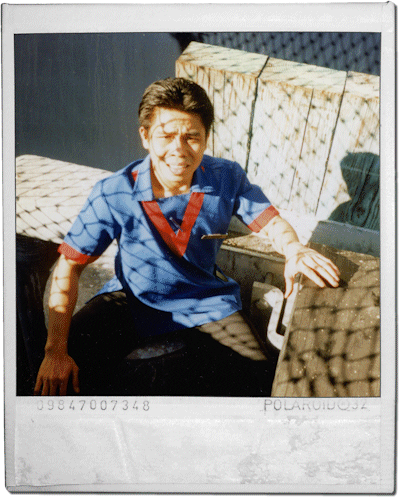

 Whole lotta shakin'
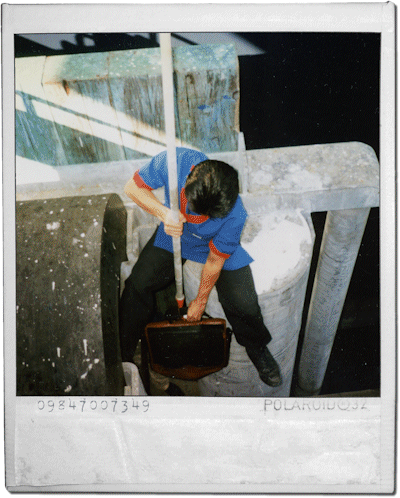
 etween April 1997 and April 2000, I lived through six earthquakes on four different continents. They were all fairly significant earthquakes that registered between 4.9 and 6.8 on the Richter scale—the kind that make you stop and gasp while you hold onto something for dear life.
  But they weren't really catastrophic events (unless you count the 6.8 quake at Assisi, in September of '97, which killed 10 people and destroyed some ancient frescoes on the ceiling of the Franciscan basilica there. That one struck within an hour after I had flown into Italy, while Carey Hardy and I were literally standing at our hotel's front desk, checking in.)
 It also occurred to me that if I were a charismatic charlatan, I could have parlayed my connection with the earthquakes into big-time fame and credibility, simply by inventing whatever "prophetic" significance I wanted to imagine and claiming the earthquakes were divinely-inspired punctuation marks for my prophecies. After all, I had multiple witnesses to my presence in all six earthquakes. The one in Queenstown, New Zealand, occurred while I was preaching about Jonah, right after I had made an emphatic point about God's sovereignty over the forces of nature.
 arely do I put sound files on the blog, so when I do, you know it's a good one. You've got to hear this.
 The sound clip linked below was recorded last Saturday (thanks to